
Free QR menu — 30 days of Standard at no cost
Your first 30 days run on the Standard plan with no card, and after that the menu stays free, with all 14 allergens and the same QR code.

30 days of Standard, then a menu that stays free
No card to start and none to stay. When the trial ends you pick a paid plan, or the menu moves to the free plan on its own, with the same QR code.
Photos on every dish, the menu in 80+ languages, your logo and colours, the Classic or Bistro look and food costing for your dishes.
Unlimited dishes, the 14 allergens on every dish, one language, photos on 20 dishes. For a local bar with a short menu in one language it is enough.
For the first 48 venues that sign up before 31 December 2026. Once the places are gone, you start with the 30-day trial.
- FeeFree plan:€0, no end dateBasic:A fixed monthly fee, shown on the pricing page
- Dishes and categoriesFree plan:UnlimitedBasic:Unlimited
- 14 allergensFree plan:On every dishBasic:On every dish
- Menu languagesFree plan:Yours onlyBasic:80+, with automatic translation
- Dish photosFree plan:Up to 20 dishesBasic:Unlimited
- Menu import from PDF or photoFree plan:OnceBasic:Unlimited
The free plan falls short in a tourist area: if your guests read a second language, it does not appear until you move to Basic. Translations are kept and come back the same day.
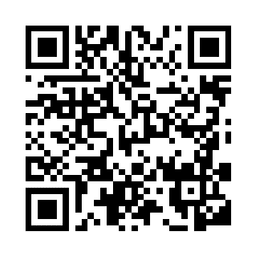
Already have your menu as a PDF or on your website? Make its QR code here
Paste the link and download the QR code as PNG or SVG, with no sign-up. The code is made in your browser and the link is not sent anywhere.
A page with the menu, a PDF or the venue's website. The code is made in your browser and the link is not sent anywhere.
Paste a link and the code will appear here
The code always opens the same address: if the menu moves to another link, you print a new code. Scan it with your phone before printing.
A QR code you never reprint
With your menu on WMenu, the table QR never changes: you edit prices and dishes in the panel and guests always see today's menu.
A WMenu code opens your menu's address, not a file. Change a price in the panel and the table keeps the same sticker.
30 days of Standard free, then the free plan, with no card.
Create my free menuHow to print the QR code so it reads from any table
A phone reads a code from about 10 times its width. That decides the file size you download.
Instagram, your Google profile, the screen by the till. For print, pick a larger one.
A 3–4 cm code on a menu holder or sticker scans from the chair, at 30–40 cm.
A 15–20 cm code on the window reads from the pavement, at 1.5–2 metres.
- Dark code on a light background
Every camera reads it. A light code on a dark background escapes some phones.
- Matt lamination, not gloss
A lamp's reflection on the table hides the code just like a scratch in the plastic.
- A line of text under the code
«Scan to see the menu» tells the guest what they will open. The generator writes it underneath.
- Test from the furthest table
Scan it on mobile data, not the venue's Wi-Fi, because that is what a guest on the terrace will use.
A QR code to a PDF works as long as the file stays at the same link
The generator stores one address. If you upload a new menu under a different link, the printed codes keep opening the old one or an error page.
- New priceQR to a PDF:Another file. If the link changes, you reprint the codes.QR to a WMenu menu:Change it in the panel; guests see it on the next scan, with the same code.
- Reading on a phoneQR to a PDF:An A4 page the guest zooms with two fingers.QR to a WMenu menu:The menu at phone width, with categories at the top.
- Visitors from abroadQR to a PDF:One PDF per language.QR to a WMenu menu:A language picker; AI translates the menu into 80+ languages.
- AllergensQR to a PDF:Numbers next to the dish and a legend at the end.QR to a WMenu menu:The 14 allergens on every dish, as Regulation (EU) No 1169/2011 requires.
- Sold-out dishQR to a PDF:Stays in the PDF until the next version.QR to a WMenu menu:Hide it with one click and bring it back when you have it.
- CostQR to a PDF:€0 for the code; every new version of the file is your work.QR to a WMenu menu:A free plan with no end date, or a paid plan with everything above.
A QR code to a PDF is enough if the menu changes once a season and almost all your guests read one language. With prices that rise at every supplier order, each new file is a table left with the old menu.
Start free, and stay free if it is enough
- A menu with categories, photos, sizes and the 14 allergens on every dish.
- 30 days of Standard: logo, colours, the Classic or Bistro look, menu analytics and food costing.
- AI moves your menu from a PDF or photo into dishes and prices; you check it and publish.
- No card. When the trial ends, free plan or paid plan, at the same address with the same QR code.
Your free QR menu in 4 steps
Sign up without a card
Venue name, your name, email and phone. That's all.
Upload the paper menu
A photo or PDF becomes categories and dishes with prices, or you type it in.
Check allergens and photos
Fix whatever the import misread and mark the allergens on each dish.
Put the QR on the tables
Download the code or a table template and print it.
Open a client's menu in Valencia
ESCO, a specialty coffee shop in Valencia, has 25 drinks in 4 sections on WMenu and its menu in 6 languages. Open it on your phone the way their guests do.
Frequently asked questions
Is the menu free forever?
Yes, on the free plan: unlimited dishes, the 14 allergens, one language, photos on 20 dishes and the same QR code, with no end date. The first 30 days are on the Standard plan; if you pick no plan afterwards, the menu moves to the free plan on its own.
Do I need a card?
No. Sign-up asks for the venue's name, your name, e-mail and phone. With no card saved there is no charge when the 30 days end: you pay only if you pick a plan.
What happens to extra languages and photos on the free plan?
They are kept, not deleted. The menu shows your language only and photos on 20 dishes; the rest comes back the day you move to a paid plan.
What isn't included in the 30-day trial?
Bookings (Pro plan) and orders from the table (Premium plan). If you sign up from the bookings page, the trial is 30 days of Pro with bookings included.
Can I choose a menu template or design?
Yes. Modern, with white cards and photos, works on every plan. Classic, on cream paper with dots to the price, and Bistro, on a dark board, come with Standard.
Can I have several menus, or a breakfast menu that switches off at noon?
A venue has one menu with sections, and you switch a section on or off by hand, for example breakfast at noon. Only the lunch menu has its own days and hours. A wedding or an event can have its own menu.
How big should the QR code be?
On a table, 3–4 cm scans from the chair: download the 1024 px file. In a window, 15–20 cm reads from the pavement: use the 2048 px file.
Do I reprint the QR when the menu changes?
Not with a WMenu menu: the code opens the menu's address, and you change prices and dishes in the panel. A code to a PDF needs reprinting only when the file moves to another link.
I run several venues. How does that work?
Add each venue from one account and switch between them in the panel. Each venue has its own plan; for chains of 2 venues or more, the discount is agreed on a call.
Need help or have a question?
Book a free demo
Leave your number and we'll show you how WMenu would work in your venue, then help you move your menu over. No commitment.
Print the QR code once and change the menu in the panel
30 days of Standard free, then the free plan, with no credit card.